

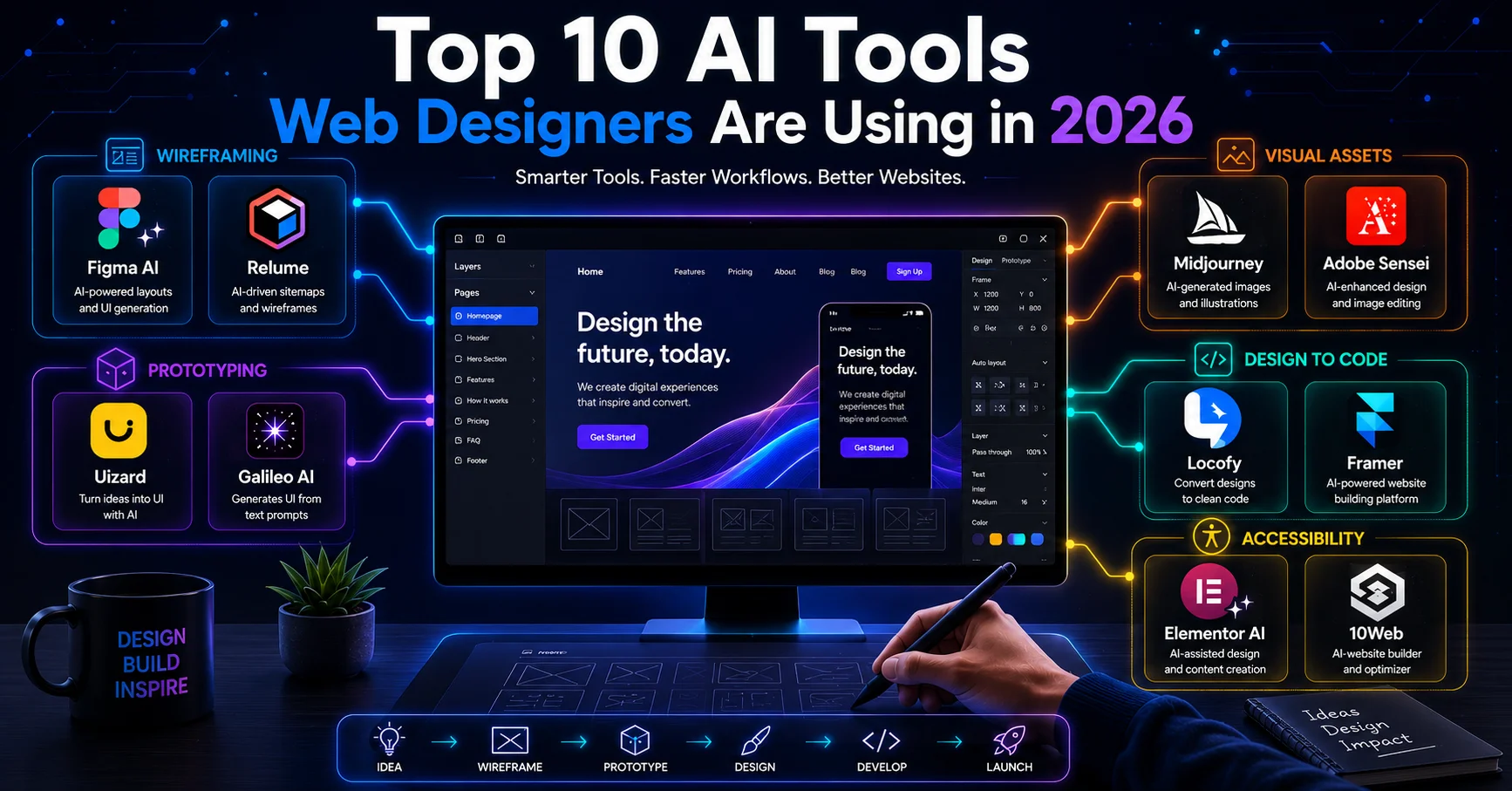
The top AI tools web designers are using in 2026 include Figma AI and Relume for wireframing, Uizard and Galileo AI for prototyping, Framer for AI assisted site building, Midjourney and Adobe Sensei for visual assets, and Locofy, Elementor AI, and 10Web for turning designs into working code. These tools matter because they cut hours of repetitive work out of the design process while leaving strategy, branding, and user experience decisions in the hands of the designer.
Quick List: Top 10 AI Tools for Web Designers in 2026
- Figma AI – Smart layout suggestions, auto tidying components, and responsive variant generation
- Relume – AI generated sitemaps and wireframes from a short project brief
- Uizard – Turns text prompts into clickable mockups and prototypes
- Galileo AI – Generates UI design concepts directly from written descriptions
- Framer – AI assisted website building with real, editable code output
- Midjourney – AI image generation for hero images and custom visual assets
- Adobe Sensei (Adobe Color) – AI powered color palette and accessibility contrast checking
- Locofy – Converts Figma designs into working React or HTML code
- Elementor AI – AI assisted page building and content generation inside WordPress
- 10Web – AI automation for building and optimizing WordPress sites, including speed scoring
Each tool is explained in more detail below, including what it’s best for and where it fits in a typical design workflow.
What Categories of AI Tools Are Web Designers Using in 2026?
Web designers in 2026 are mainly using AI tools across five categories: wireframing and layout planning, prototyping, image and visual asset generation, design to code conversion, and accessibility checking. Most designers don’t use all five categories on every project. Instead, they pick one or two tools that address the biggest time drain in their specific workflow.
This shift reflects how AI web design tools have matured. A few years ago, most AI design tools produced generic looking layouts that needed heavy rework. Now, tools like Figma AI and Framer generate results that are closer to what a skilled designer would produce manually, which is why adoption has increased across both freelancers and larger agencies.
Which AI Tools Help With Wireframing and Layout Planning?
Figma AI and Relume are two of the most widely used AI tools for wireframing and layout planning in 2026. Figma AI suggests layout variations for different screen sizes and can auto tidy messy component structures, while Relume generates a full sitemap and wireframe set from a short project brief.
These tools are most useful at the very start of a project, when a designer needs to move quickly from a client brief to a rough structure they can review and adjust. Neither tool is meant to finalize a design. They are meant to remove the blank page problem and give designers a starting point to refine.
Which AI Tools Generate Design Concepts and Prototypes?
Uizard and Galileo AI are commonly used to turn written descriptions into clickable prototypes and UI concepts, while Framer combines AI assisted design with a working website builder that outputs real, editable code. These tools are especially useful for showing clients an early visual direction before committing to full scale design work.
Do These Tools Replace UX Strategy?
No. These tools generate visual starting points, not user experience strategy. Decisions about user flow, content hierarchy, and how a site should guide a visitor toward an action still require human judgment, since AI tools work from a written prompt and don’t know a business’s specific audience or goals.
Which AI Tools Handle Images and Visual Assets for Web Design?
Midjourney is widely used for generating custom hero images, icons, and illustrations that would otherwise require a stock photo or a separate illustrator. Adobe Sensei, which powers Adobe Color, is used specifically for accessibility work, automatically checking color combinations for contrast compliance instead of designers testing each combination manually.
Using AI generated images requires some caution. Client facing websites still need visuals that match brand tone and don’t look obviously artificial, so most designers use these tools to generate a starting concept and then refine it rather than publishing the first output directly.
Which AI Tools Convert Designs Into Working Code?
Locofy, Elementor AI, and 10Web are among the most used AI tools for converting a finished design into working website code in 2026. Locofy converts Figma designs into React or HTML code, Elementor AI generates page layouts and content directly inside WordPress, and 10Web can clone an existing site layout and rebuild it in WordPress with automated performance optimization.

Do These Tools Produce Production Ready Code?
Not always without review. AI generated code often needs cleanup for performance, accessibility, and browser compatibility before it goes live. This is one reason many businesses still work with a frontend development company in Faridabad to review and refine AI generated code, ensuring the final site loads quickly and displays correctly across devices.
Why Do These AI Tools Matter for Web Design Businesses in 2026?
These tools matter because they reduce the time between a client brief and a reviewable design, often cutting early stage work from days down to hours. For web design businesses, this means faster turnaround on client projects without necessarily increasing team size.
The tools also matter because they change what clients expect. As AI powered web design software becomes more common, clients increasingly expect faster first drafts and more design options to choose from early in a project, which puts pressure on agencies to adopt at least some of these tools to stay competitive.
How Do We Use AI Tools in Our Web Design Process at Adlivetech?
At Adlivetech, we have been providing website design and development services since 2016. We are based in Faridabad and offer web design, UI/UX design, and design to website conversion alongside AI driven services such as automation and chatbot development.
We use AI tools selectively during the early stages of a project, mainly for wireframing and generating initial layout concepts that our designers then refine based on the client’s brand and goals. We do not rely on AI to finalize a design or generate a site without human review, since client facing work still needs judgment calls that AI tools can’t make on their own. We have been recognized by ThreeBestRated, CSS Design Awards, and CSSWinner, and our work has also been listed on Envato Market’s ThemeForest community. Client reviews of our work are available on Google, Glassdoor, and Trustpilot.
How Should You Choose the Right AI Tools for Your Web Design Workflow?
The right AI tools depend on which part of the design process is slowing your team down the most, not on how many features a tool advertises. A designer who struggles with the blank page problem needs a different tool than one who spends too much time converting finished designs into code.
Before adopting a new AI tool, it helps to test it on a small project first rather than switching an entire workflow at once. It’s also worth checking whether a tool integrates with the software your team already uses, since switching between disconnected tools often costs more time than it saves. Reading recent reviews matters here too, since AI design tools update frequently and older comparisons may not reflect current output quality.
Frequently Asked Questions
Are AI web design tools replacing web designers?
No, most AI web design tools are built to speed up early stage tasks like wireframing and prototyping, not to replace the strategic decisions a designer makes about branding and user experience. Agencies that use these tools still rely on human designers for final quality and client specific judgment.
Do AI design tools work well with WordPress?
Yes, tools like Elementor AI and 10Web are built specifically for WordPress and integrate directly with page builders and existing themes. Other AI tools, like Figma AI or Uizard, are used earlier in the process and then handed off to a WordPress developer for implementation.
Are these AI tools free or paid?
Most of these tools offer a limited free plan with paid tiers for higher usage or advanced features. Pricing is often based on the number of projects, generations, or team seats, so costs can add up for larger teams using multiple tools at once.
Can beginners use AI design tools without design experience?
Some tools, like Uizard and Framer, are built with beginners in mind and require little to no design background to produce a usable result. Tools aimed at professional designers, like Figma AI, still assume some existing design knowledge to get the most out of their features.
How do AI design tools affect project timelines?
AI tools mainly speed up the early stages of a project, such as wireframing and initial concept generation, rather than the entire timeline. Development, testing, and client revisions still take similar amounts of time regardless of which AI tools were used at the start.